To commit to a pull request branch created from a fork, you need push access to the base repository, permission from the pull request creator, and a user-owned fork without branch restrictions that prevent your push. Only the pull request creator can allow edits to their fork. See Allowing changes to a pull request branch created from a fork.
-
On GitHub, navigate to the fork where the pull request branch was created.
-
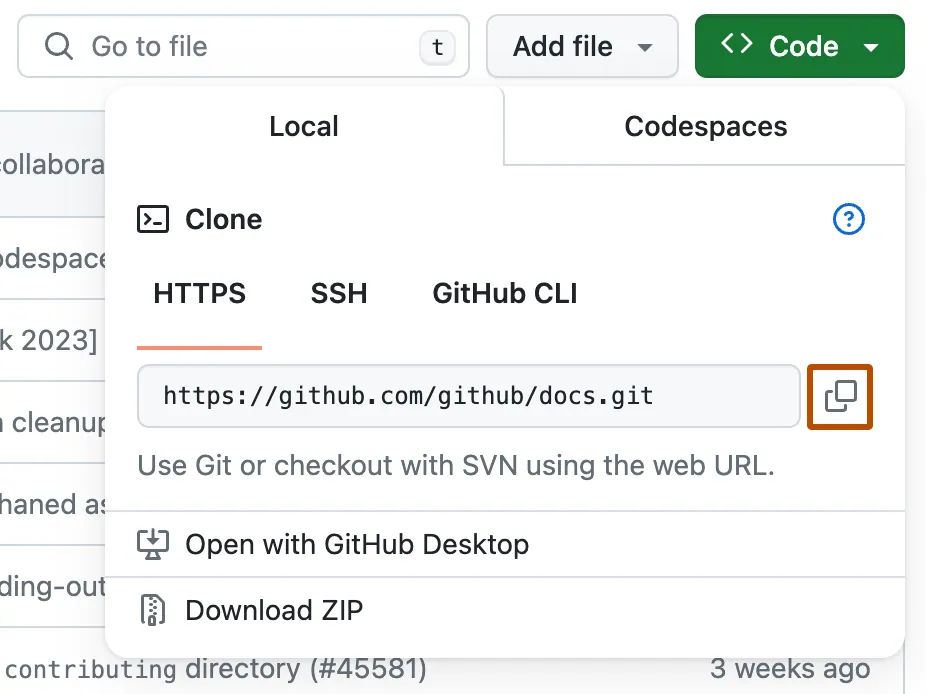
Above the list of files, click Code.

-
Copy the URL for the repository.
-
To clone the repository using HTTPS, under "HTTPS", click .
-
To clone the repository using an SSH key, including a certificate issued by your organization's SSH certificate authority, click SSH, then click .
-
To clone a repository using GitHub CLI, click GitHub CLI, then click .

-
-
Open your terminal or Git Bash.
-
Change the current working directory to the location where you want to clone the fork.
cd open-source-projects -
Clone the fork, then navigate into the cloned repository.
git clone https://github.com/USERNAME/FORK-OF-THE-REPOSITORY cd FORK-OF-THE-REPOSITORY -
Check out the pull request's compare branch. To find the compare branch, open the pull request and check the branch shown at the top of the page.
git checkout TEST-BRANCH -
Make your changes, then stage and commit them.
git add . git commit -m "YOUR-COMMIT-MESSAGE" -
Push your commit to the pull request branch.
git push origin TEST-BRANCH

Your new commits appear on the original pull request on GitHub.com.