# Adding a code of conduct to your project
Adopt a code of conduct to define community standards, signal a welcoming and inclusive project, and outline procedures for handling abuse.
A *code of conduct* defines standards for how to engage in a community. It signals an inclusive environment that respects all contributions. It also outlines procedures for addressing problems between members of your project's community. For more information on why a code of conduct defines standards and expectations for how to engage in a community, see the [Open Source Guide](https://opensource.guide/code-of-conduct/).
Before adopting a code of conduct for your project:
* Research different codes of conduct designed for open source projects. Choose one that reflects your community's standards.
* Consider carefully whether you are willing and able to enforce it.
You can add a code of conduct to your project by manually creating a custom code of conduct file. If you use a code of conduct written by another person or organization, be sure to follow any attribution guidelines from the source.
You can create a default code of conduct for your organization or personal account. For more information, see [Creating a default community health file](/en/enterprise-server@3.19/communities/setting-up-your-project-for-healthy-contributions/creating-a-default-community-health-file).
## Adding a code of conduct manually
You can manually add a code of conduct to your project.
1. On GitHub, navigate to the main page of the repository.
2. Above the list of files, select the **Add file** dropdown menu, then click ** Create new file**.
Alternatively, you can click in the file tree view on the left.

3. In the file name field, type the path and name for the file. GitHub looks for a code of conduct in the `.github` directory, then the root of the repository, then the `docs` directory, and uses the first file it finds.
* To add your code of conduct to the repository's `.github` directory, type *.github/CODE\_OF\_CONDUCT.md*.
* To add your code of conduct to the repository's root directory, type *CODE\_OF\_CONDUCT.md*.
* To add your code of conduct to the repository's `docs` directory, type *docs/CODE\_OF\_CONDUCT.md*.
4. In the new file, add your custom code of conduct.
5. Click **Commit changes...**
6. In the "Commit message" field, type a short, meaningful commit message that describes the change you made to the file. You can attribute the commit to more than one author in the commit message. For more information, see [Creating a commit with multiple authors or on behalf of an organization](/en/enterprise-server@3.19/pull-requests/how-tos/commit-changes/creating-a-commit-with-multiple-authors).
7. Below the commit message fields, decide whether to add your commit to the current branch or to a new branch. If your current branch is the default branch, you should choose to create a new branch for your commit and then create a pull request. For more information, see [Creating a pull request](/en/enterprise-server@3.19/pull-requests/how-tos/create-pull-requests/creating-a-pull-request).
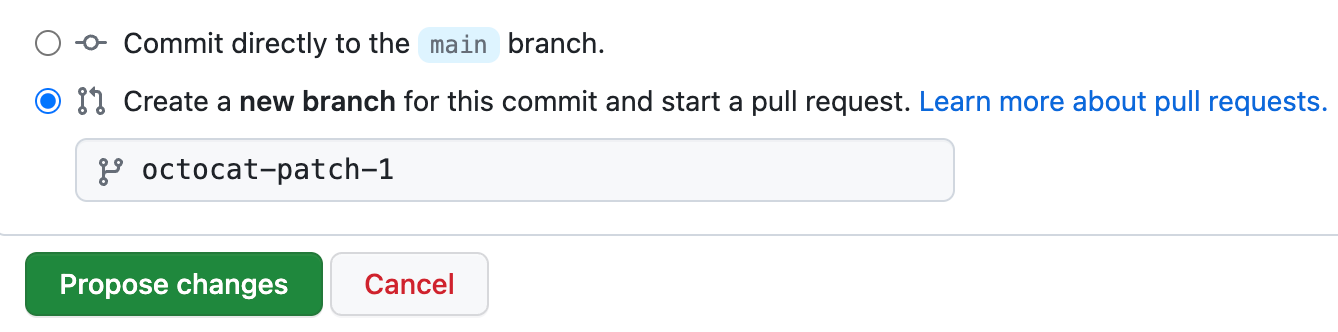
8. Click **Commit changes** or **Propose changes**.